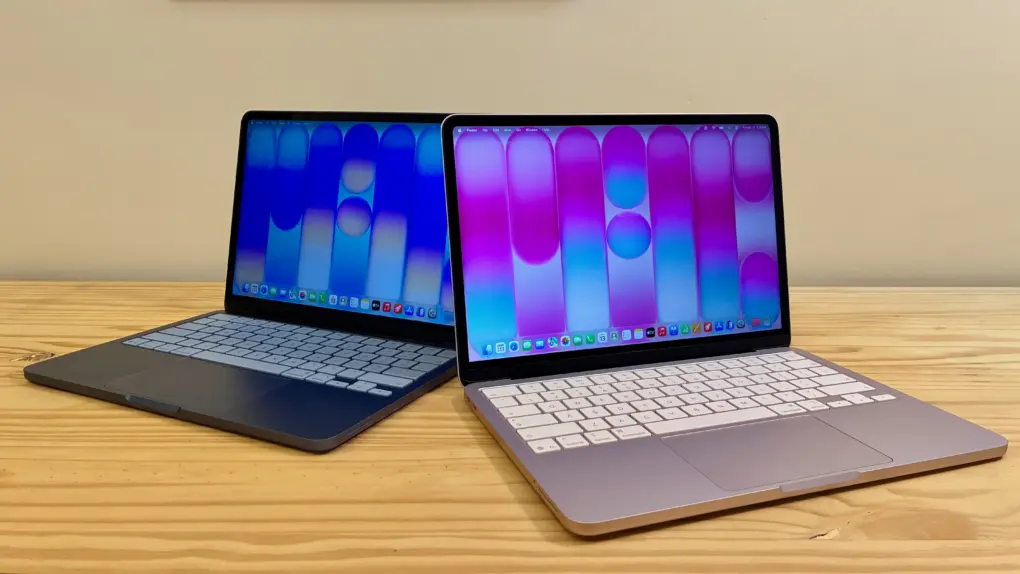
The MacBook Neo exceeds all expectations and defies all logic. It’s a $599 computer that’s not slow. The cheap laptop sports a light aluminum unibody with exceptional fit and finish, along with a gorgeous, bright Retina display. It runs on an iPhone chip, yet it’s incredibly fast with unbelievable battery life.
The name itself, Neo, reminds you that this is not a computer made out of spare parts. It’s a bespoke industrial design with a brand-new display and feature set. That feature set excludes things that longtime members of the cult consider quintessential Mac features — a backlit keyboard, an ambient light sensor and a MagSafe connection.
Nonetheless, the MacBook Neo will be a lot of people’s first exposure to the Mac. I wanted to know what their experience will be like — and I think they’ll be very happy.
This post contains affiliate links. Cult of Mac may earn a commission when you use our links to buy items.
MacBook Neo review
The MacBook Neo is Apple’s entry-level laptop. It boasts Apple’s signature all-day battery life and ease of use. It can swim through web browsing, document editing and other basic tasks. But if you want higher specs than its 8GB memory or the maximum 512GB storage, the MacBook Air is a better choice.
- 16-hour battery life
- Bright, fun colors
- Thin and light design
- No MagSafe charging
- USB 3 and USB 2 ports
- No support for high-resolution displays

The MacBook Neo marks the start of a totally new product line from Apple. This is the most affordable all-in-one Mac ever. It directly targets the $500 to $700 market of Chromebooks and Windows laptops — and PC makers are quaking in their boots. On top of that, Apple’s new budget laptop comes in an array of vibrant colors.
How did Apple pull it off? The MacBook Neo is the first Mac to be powered by an A-series chip, typically only used for iPhones, iPads and other less power-hungry devices.
The universally praised M-series chips inside the midrange MacBook Air and the high-end MacBook Pro offer such incredible performance that they honestly deliver too much power for very casual users. By utilizing the A18 Pro in the MacBook Neo, and cutting a few corners, Apple created a laptop to take on the PC manufacturers, who until now maintained a stranglehold on the low-end market.
Although obviously not as capable as its higher-end siblings, the MacBook Neo delivers a fantastic amount of computing power at Apple’s lowest price ever.
Table of contents: MacBook Neo review
- What I ordered
- Design
- Speed tests
- Battery life and charging
- Display
- Keyboard and trackpad
- Speakers, microphones and camera
- Connectivity
- Conclusion
What I ordered
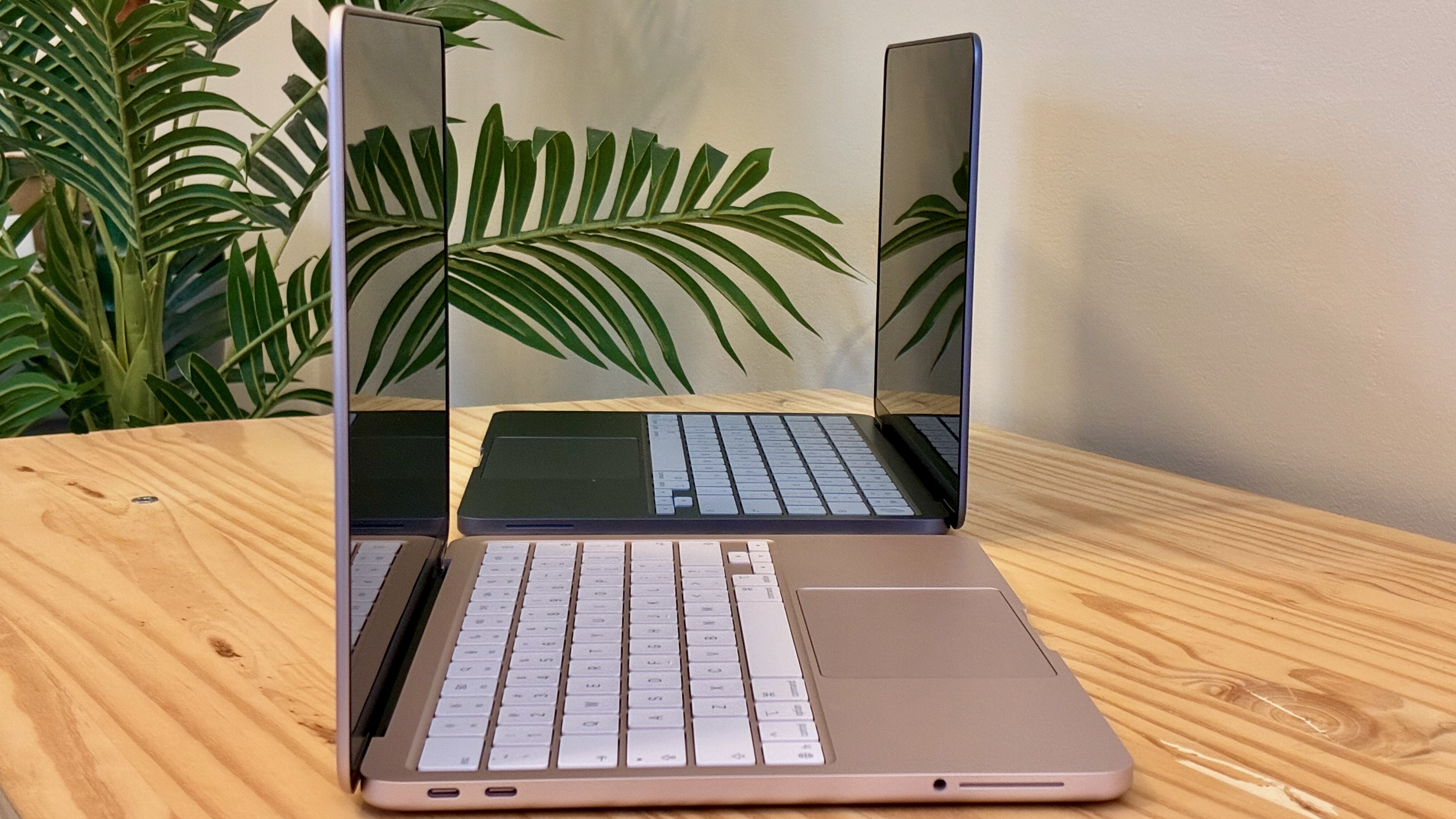
Photo: D. Griffin Jones/Cult of Mac
The MacBook Neo comes in only two models. You pick storage tiers — either 256GB or 512GB; the higher-end model also comes with a Touch ID sensor in its keyboard. Apple offers no options for upgrading memory, processor or screen size.
I wanted to test just how far the new cheapest MacBook would take me. This is the configuration almost everyone will buy. For $599, it comes with:
- 13-inch Retina display
- 256GB storage
- 8GB unified memory
- A18 Pro chip with a six-core CPU, five-core GPU and 16-core Neural Engine
- 2 USB-C ports
- Wi-Fi 6E, Bluetooth 6
Pony up $100 more you get 512GB of storage. For $100 less, you can buy the MacBook Neo from Apple’s Education Store if you qualify. (See also: How to save big bucks with Apple’s educational discount.)
I chose the basic MacBook Neo model in blush. But because I simply couldn’t help myself, I also bought the higher-end model in indigo. (This double dip ended up saving me: I missed the delivery of my first Neo while I was at the Apple Store picking up my other products.)
The low amount of built-in memory begs the question, why isn’t there a $799 model with 12GB of memory, or an $899 model with 16GB? That would help bridge the rather large gap between the Neo and the Air. It’s possible this is the first of several limitations that come with the A18 Pro chip. It’s the same chip that Apple used in the iPhone 16 Pro, which also came with 8GB of memory.
On the plus side, if there’s a 2027 MacBook Neo based on the A19 Pro, that’ll likely come with 12GB of memory.
MacBook Neo review: Design
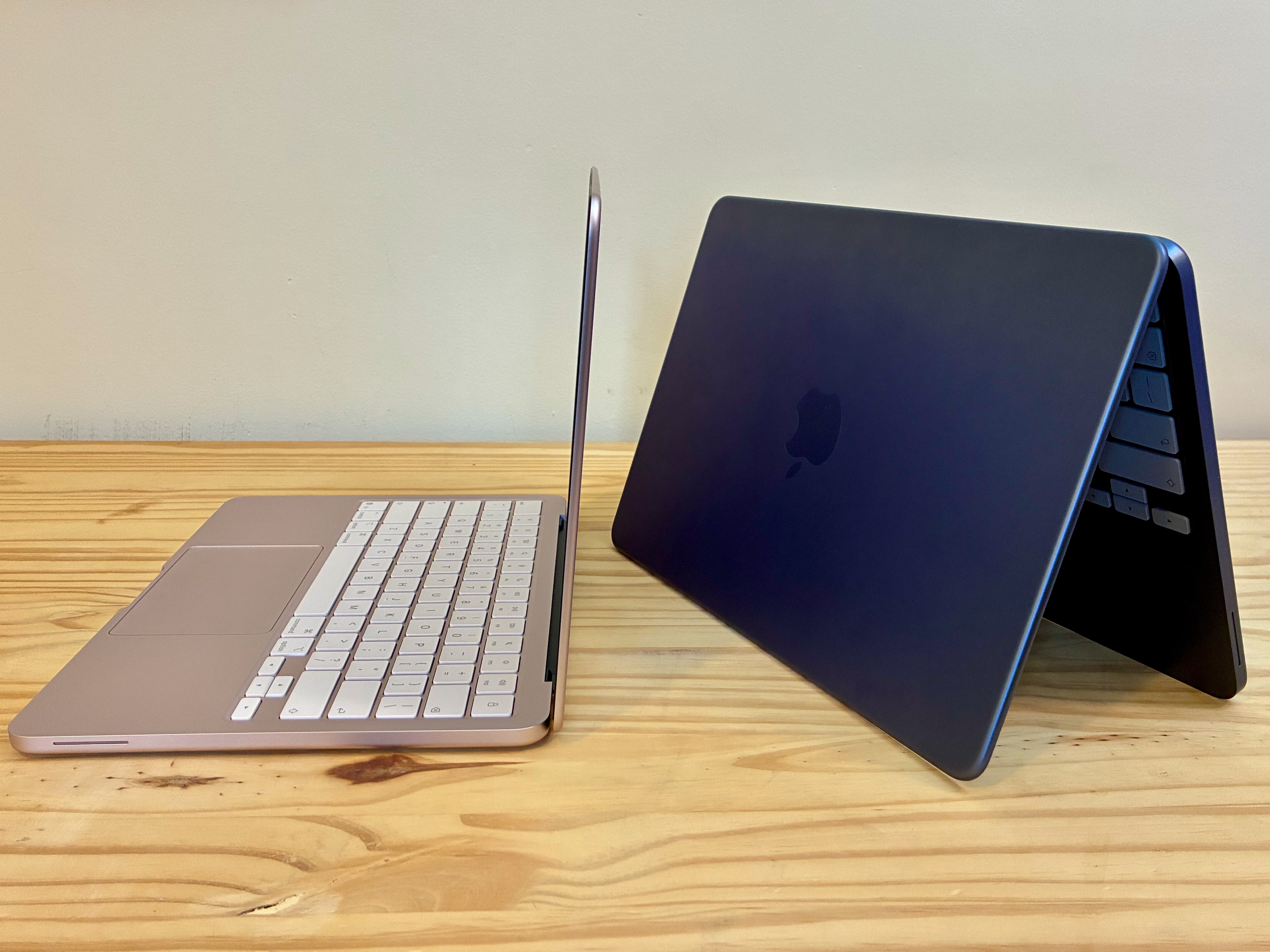
Photo: D. Griffin Jones/Cult of Mac
The MacBook Neo is the first Mac laptop in nearly 25 years to come in so many bright, fun colors. You can choose from silver, blush (aka pink), indigo (blue) and citrus (greenish-yellow). It’s an iMac to go. Even the keyboard is color-matched, although it’s kind of subtle. And it comes out of the box with a matching accent color for buttons, switches and drop-down menus set up in macOS.
The MacBook Neo looks familiar if you’ve ever used an M2 or later MacBook Air. It employs the same flat, uniform design — no tapered wedge shape — and big rubber feet.
The display is rounded in the top corners and square at the bottom. Thankfully, it doesn’t have a notch. On the outside, the lid itself isn’t as squared off; it’s a little more rounded, too.
Unlike the iMac, it has a black bezel around the display, not a white one. But the MacBook Neo has a rubber gasket and a plastic hinge that would be harder to color-match if it were all white like the iMac.
Rubber feet and an Apple logo
The rubber feet on the bottom are a little thicker than those on the MacBook Air. I wonder if this is for better water resistance. The extra height could protect the MacBook Neo from a drink spilled nearby.
The Apple logo isn’t a polished piece on the top of the laptop. While it’s still a separate piece of metal that’s precisely cut and fit back together, it’s a matte texture. It’s more subtle.
As a whole, the fit and finish of the design does not feel cheaper or lesser than other MacBooks in any way. Everything down to the hinge feels absolutely pitch-perfect. Apple apparently decided that the premium aluminum unibody is an essential part of what makes a MacBook a Mac.
MacBook Neo review: Speed tests
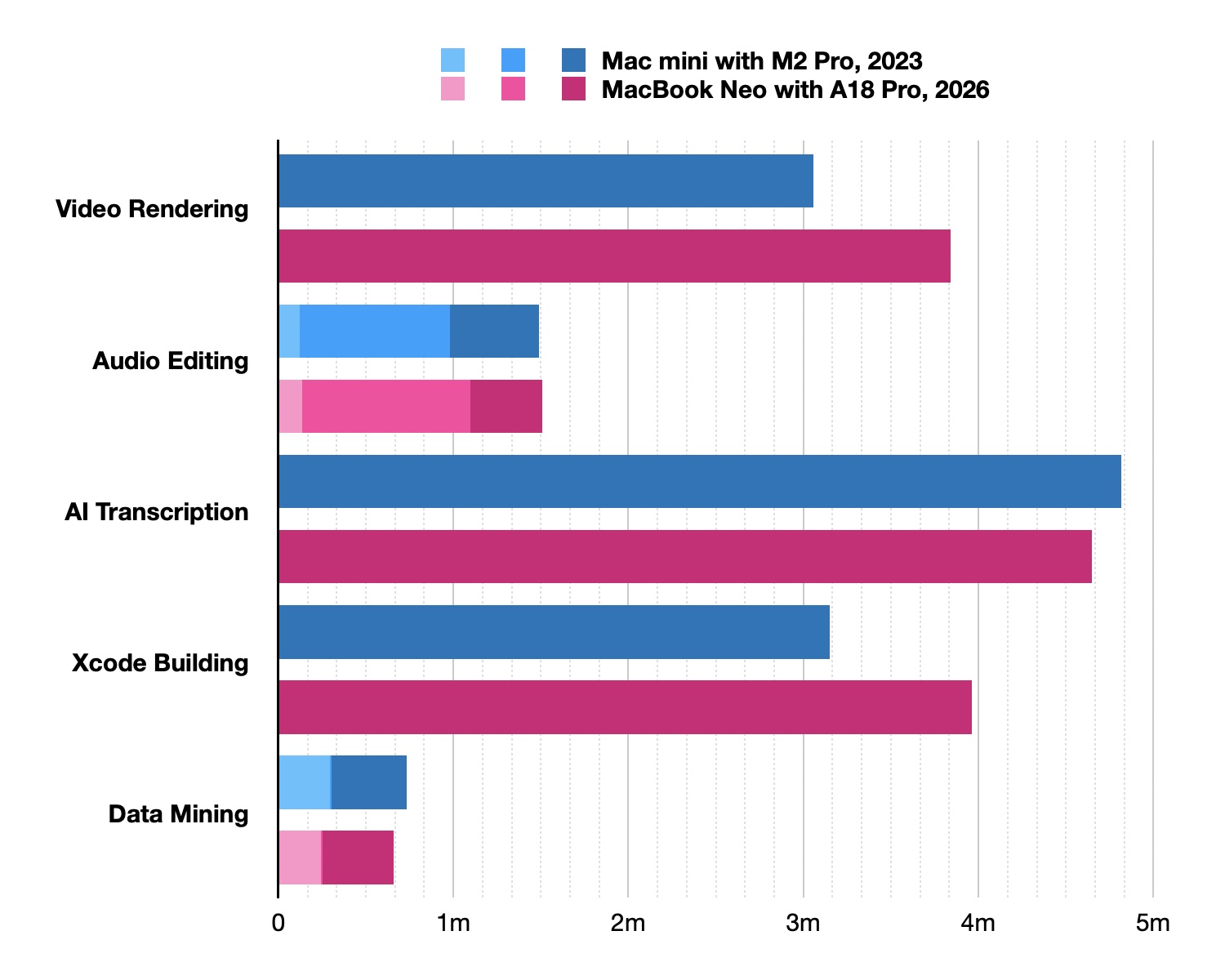
Image: D. Griffin Jones/Cult of Mac
Concerns that a MacBook with an iPhone chip would be too slow are vastly overblown. People forget just how incredibly powerful the A-series chips are.
For this review, I tested the MacBook Neo on the same set of work tasks I do regularly: video editing, podcasting, transcribing audio, building an app in Xcode and running Python scripts. (I used a college project from a course on data mining.) And I compared the results to my Mac mini, a 2023 model that runs on an M2 Pro chip.
Three of the five tests were basically a toss-up. Video rendering and code compilation, more complex tasks, went a bit faster on the Mac mini, thanks to the M2 Pro’s extra core count. But as a whole, similar power to the $2,300 computer I ordered just three years ago can now be had for $599. Anecdotally, both computers still feel perfectly fast.
While I was at it, I also created a virtual Windows 11 machine in UTM. It ran pretty snappily, too, even while it was eating up half of the 8GB of memory. It didn’t even slow down when I simultaneously launched Final Cut Pro, Logic Pro and Pixelmator Pro — all on battery power.
Battery life and charging
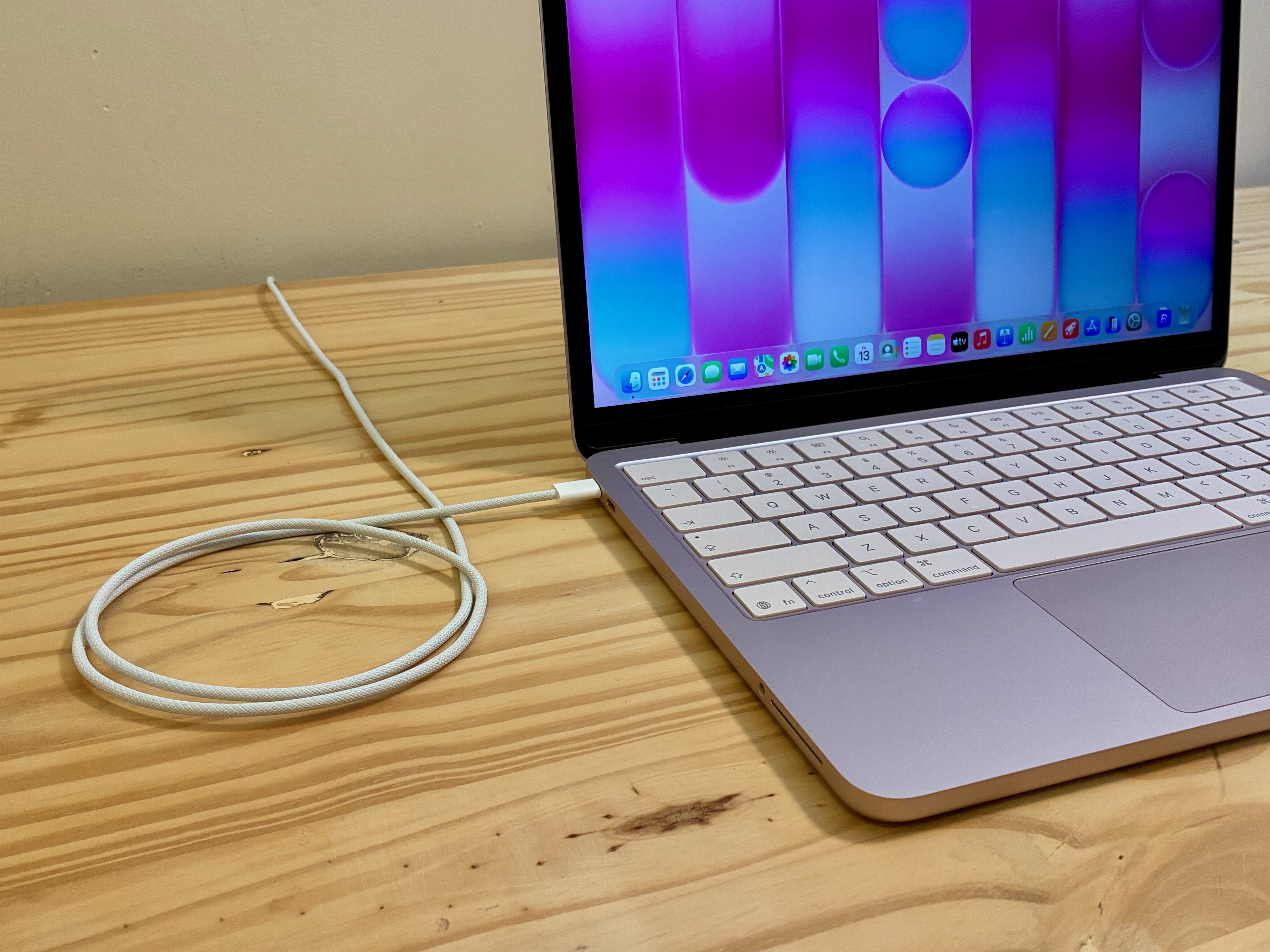
Photo: D. Griffin Jones/Cult of Mac
The MacBook Neo enjoys Apple’s signature all-day battery life. It gets a whopping 16 hours on a charge, despite the fact that its internal battery is much smaller than the ones in other MacBooks. I stress-tested my MacBook Neo every day, and it lasted me all day, every day.
The 20W charger that comes with the MacBook Neo isn’t particularly high-powered, unfortunately, so it charges kind of slow. When the laptop was almost dead, it estimated 4.5 hours to get back to 100%. The included cable is also shorter than typical — only 4.5 feet instead of the 6 feet for other Apple laptops. It’s enough to reach from a floor outlet to the front of a standard-height desk. But when the battery life is so long that you don’t need to worry about topping it up in the middle of the day, the only inconvenience is where you choose to charge the laptop overnight.
The Neo charges via USB-C, so you can use any cable and power adapter you have. I used my MacBook Neo on the sofa in the same spot I use my Vision Pro, so I used its slightly beefier 30W charger (the highest power the Neo take).
It’s a shame Apple couldn’t add MagSafe charging for the price. Adding a magnetic charging port would have cleared up one of the two ports for more peripherals. And it would have made the Neo more kid-friendly (and klutz-friendly).
MacBook Neo review: Display
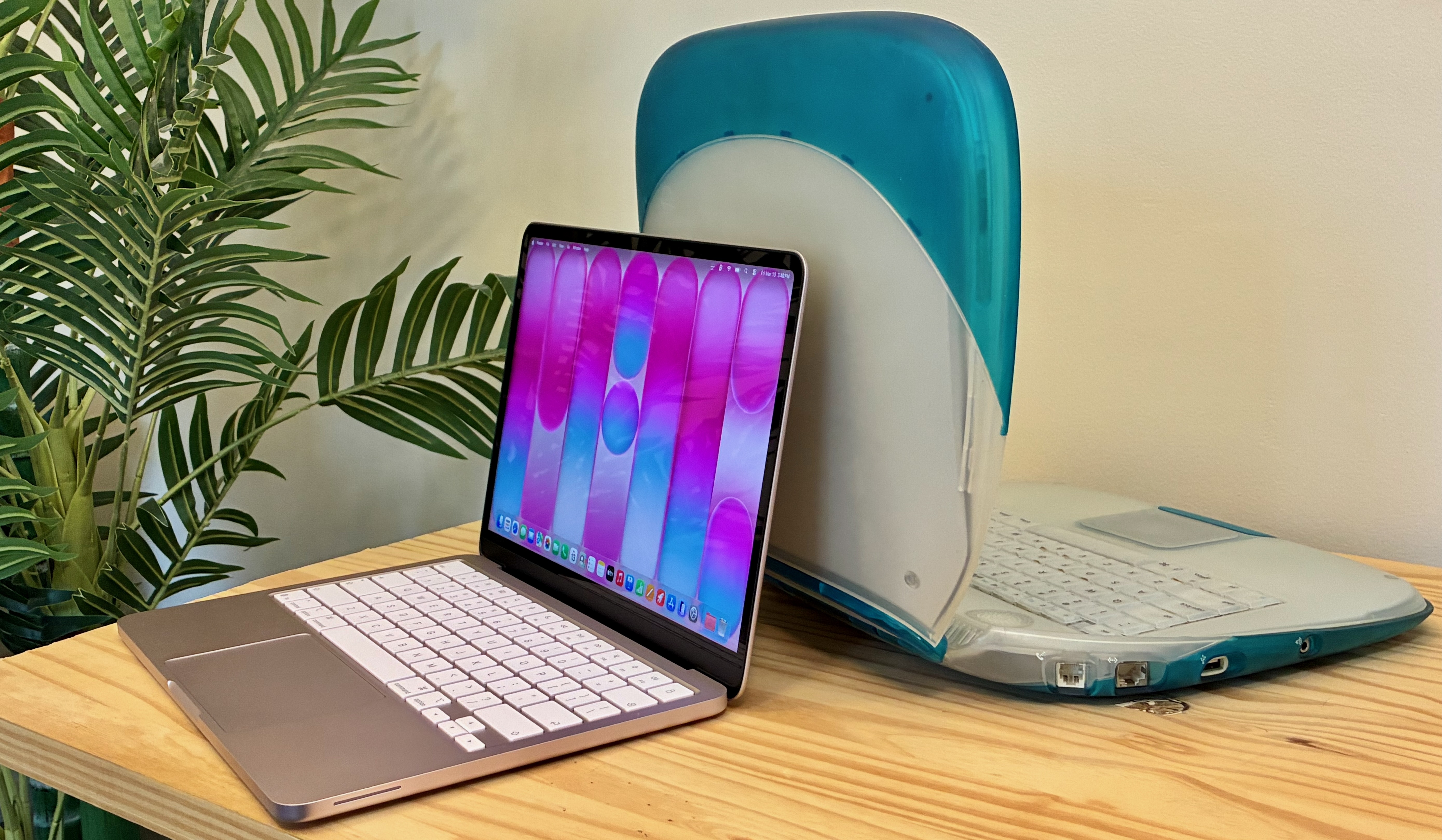
Photo: D. Griffin Jones/Cult of Mac
The MacBook Neo packs a 13-inch Retina display. It’s not ProMotion with super-smooth refresh rates, and it’s not HDR bright. But it doesn’t need to be. It’s already leaps and bounds better than anything else in the Neo’s price class.
It has a crisp resolution of 2,408 × 1,506. I’m so used to a 27-inch desktop display that a 13-inch laptop screen feels a little cramped, but that’s a personal preference.
While the display doesn’t have an ambient light sensor (or True Tone for color matching the environment), it still adjusts to the brightness of the room. I’m not sure how, but supposedly it does. I often found myself fiddling with the brightness manually.
At 500 nits of brightness max, the Neo only struggles in peak outdoor lighting. Or, if there happens to be a beam of pure sunlight searing through a window.
Keyboard and trackpad
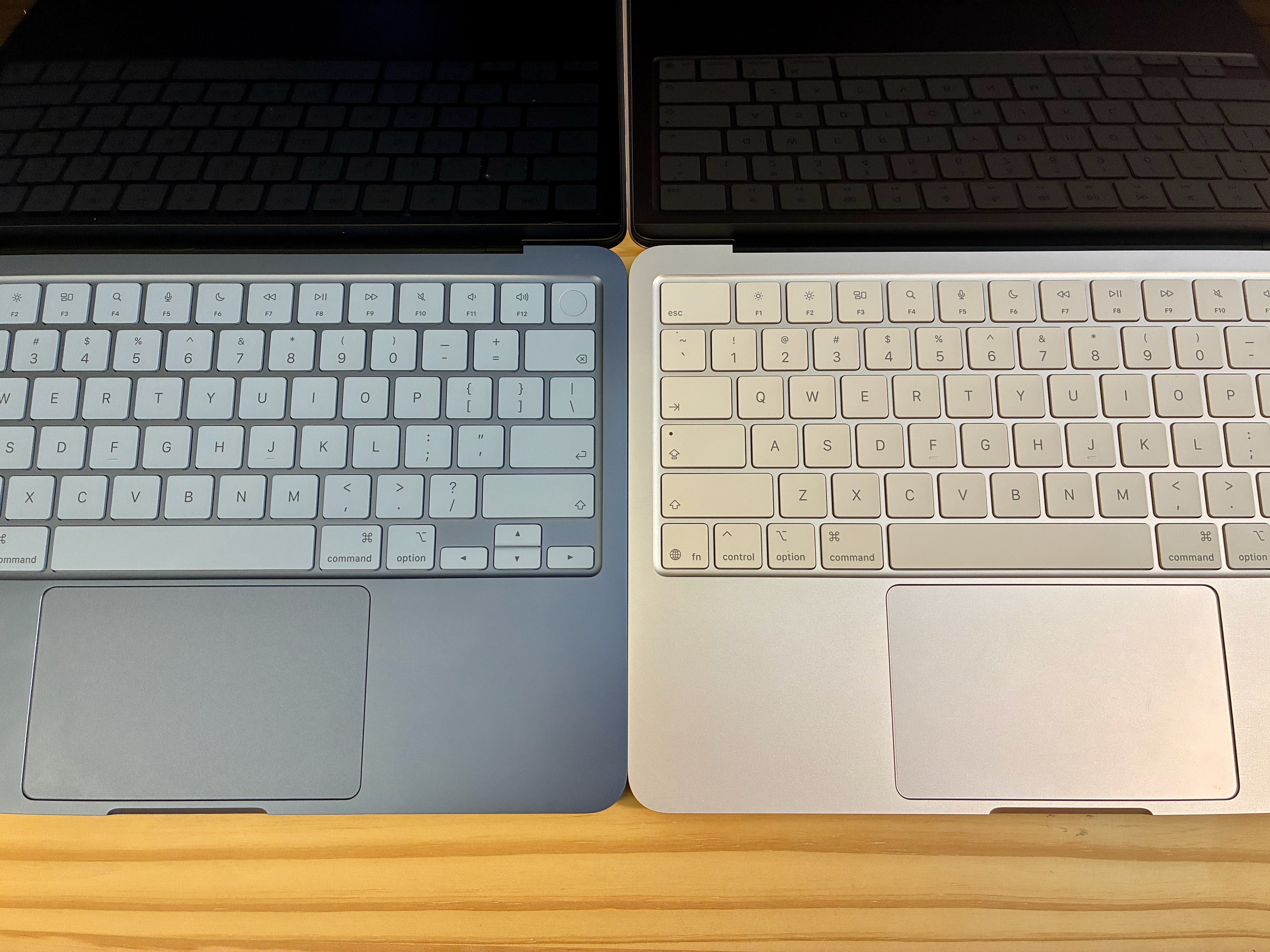
Photo: D. Griffin Jones/Cult of Mac
The bright color of the keys makes up for the lack of a backlight. In the dark with the computer in light mode, the screen reflects enough light off the keys that you can still see it.
The keyboard now comes with symbols instead of words on the Delete, Shift, Caps Lock and Tab keys. This has been standard on international keyboards for some time, but is new to the U.S. layout. Curiously, the Escape key is still written as “esc,” without its associated symbol (⎋).
The trackpad isn’t solid state and haptic like the MacBook Air and Pro. It physically clicks. This trackpad is built like the one on the iPad Air Magic Keyboard. Imagine the surface like a trampoline, hinged around the edge. The whole surface clicks evenly. It’s a stronger click than I’m used to — I set my Magic Trackpad to the softest setting. But the MacBook Neo trackpad still feels superb.
The trackpad is still plenty spacious for all the Mac multitouch gestures. It lacks Force Touch, which I normally use to preview links in Safari and Mail, rename files in the Finder, and define words. I probably tried to Force Touch about a hundred times in the three days I’ve tested the MacBook Neo for this review.
Speakers, microphones and camera
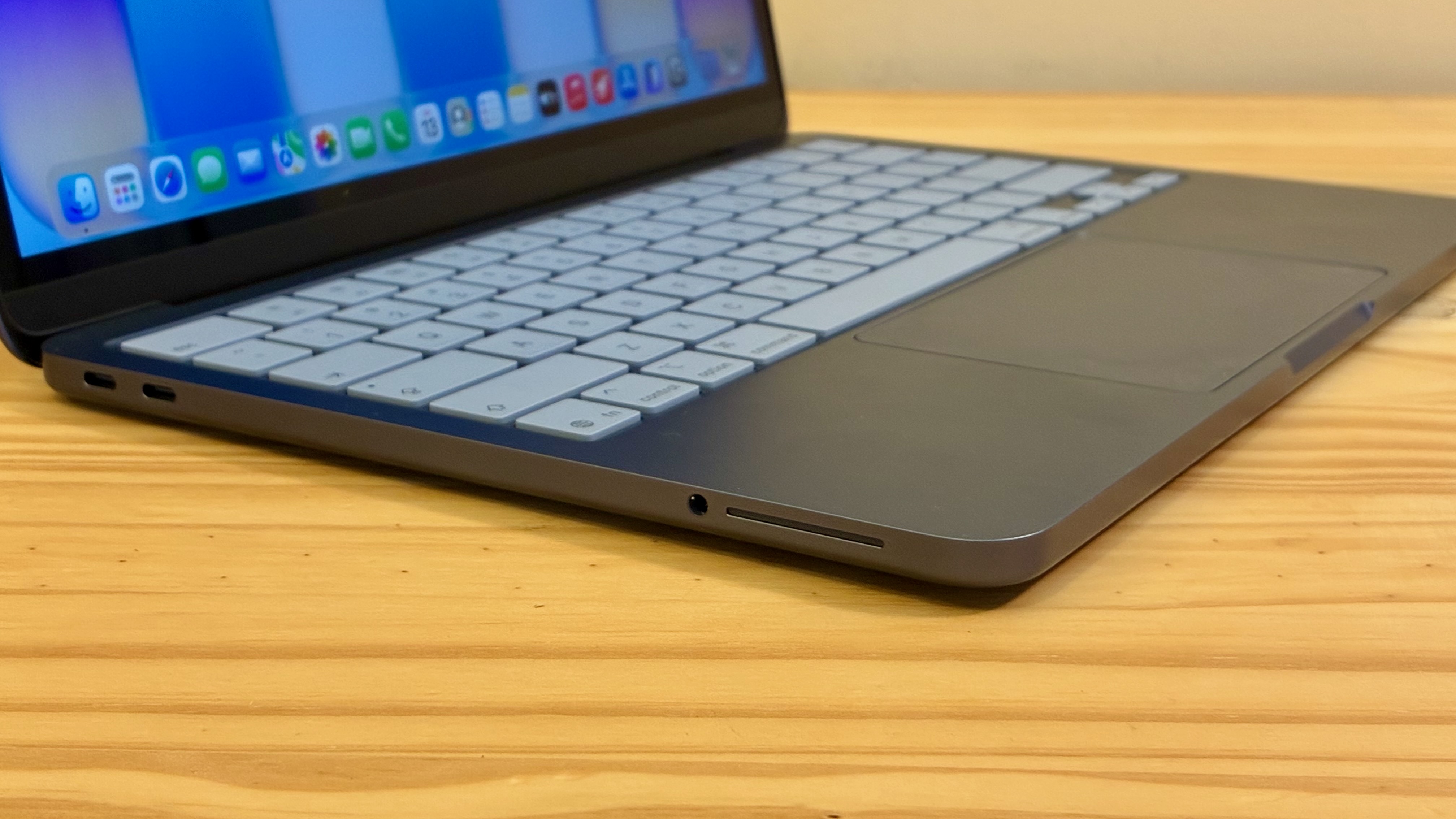
Photo: D. Griffin Jones/Cult of Mac
Apple positioned the MacBook Neo’s speakers in an odd place — on the sides of the laptop, near the front. (Usually, the speakers point up from underneath the keyboard on an Apple laptop.) Despite that, the MacBook Neo’s speakers sound loud and pretty good, honestly. Internally, there’s a very big sound chamber that probably helps.
You would think that sitting the laptop on a thick blanket or comforter would muffle the speakers, but it doesn’t seem to be much of a problem. The sound still reflects up toward your ears.
The problem is, apparently, my hands. When I pick up the MacBook Neo to carry it, the speaker location is exactly where I grab the laptop. When I take my hands off the keyboard to sit back and watch a video, that’s where I want to rest them. If I’m hitting a complex Mac keyboard shortcut, that’s where my palm sits. (I’m not used to a laptop layout.)
Microphones and webcam: Good enough
The MacBook Neo comes with two built-in microphones as well. Since it lacks a fan for cooling, you don’t need to worry much about noise. The laptop is more than capable for the odd video call, but the audio is not exactly podcast-quality.
The MacBook Neo comes with a basic 1080p webcam. It doesn’t support Center Stage or Desk View, although I don’t think anyone will weep over those omissions. It’s OK. The picture quality is sort of muddy, even in a bright room.
Weirdly, it’s missing the green light that indicates when the camera is on. This hardware security feature appears on other MacBooks — the camera cannot be activated without that green light coming on. For the MacBook Neo, Apple relies on a green dot that appears in the menu bar. I sure hope that doesn’t become a problem.
Connectivity
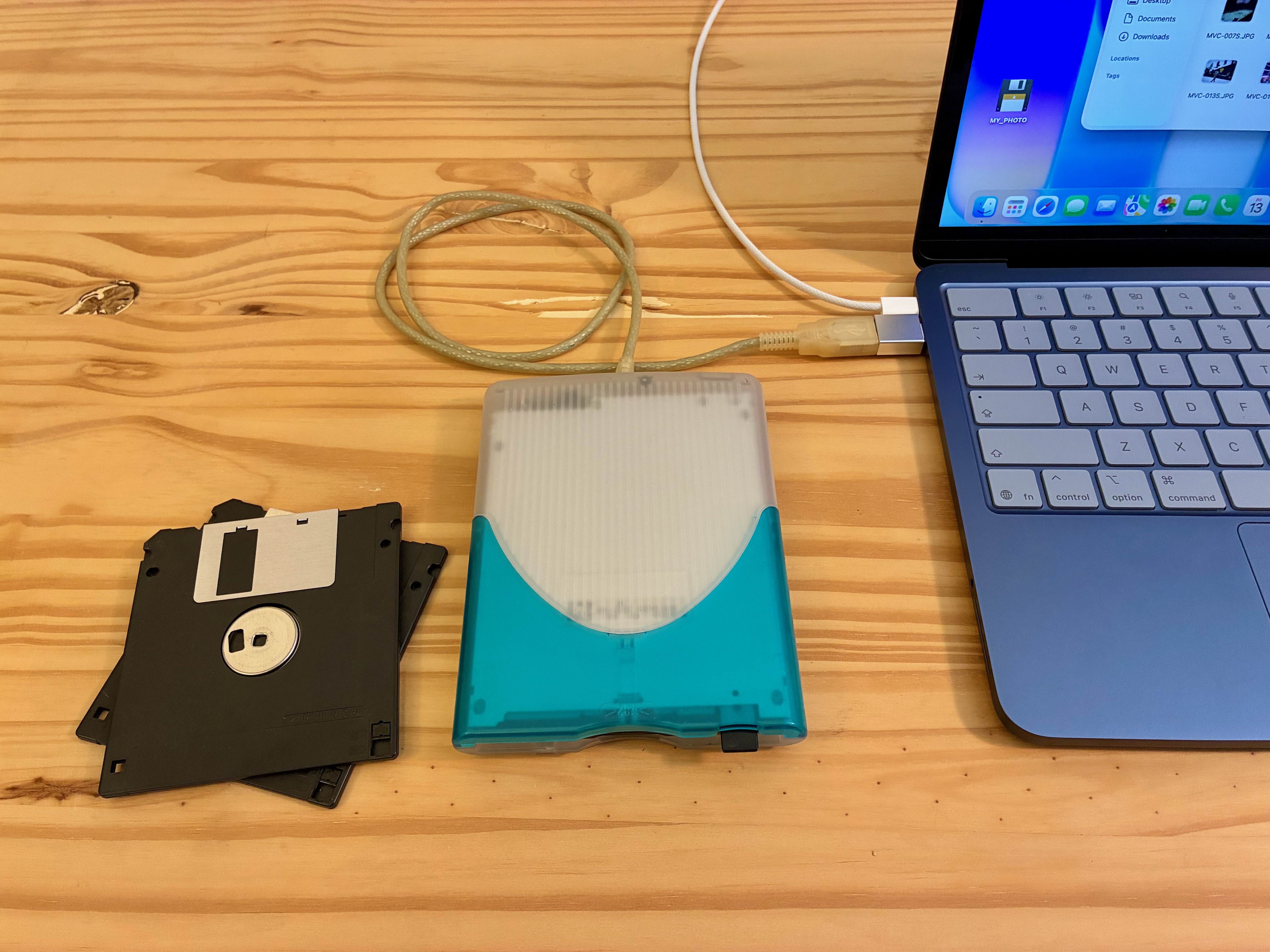
Photo: D. Griffin Jones/Cult of Mac
The MacBook Neo packs a pair of USB-C ports. The rear port is USB 3 and supports charging, display output and data transfers up to 10 Gb/s. Because it’s DisplayPort, it only supports up to 4K at 60 Hz — not enough for Apple’s own 5K Studio Display. The other port is USB 2 and only supports charging and data transfers at 480 Mb/s. If you try plugging a display into that second port, you’ll see a notification telling you to try the other one, so people will learn over time.
I don’t buy the argument that the people buying this computer don’t care about display connectivity and data-transfer speeds. Sure, a technically minded person would know that the MacBook Air supports Thunderbolt 4. But lots of technically minded people will only be able to afford the MacBook Neo. It’s not like everybody has thousands of dollars sitting around and only buys the computer that perfectly fits their needs.
That is to say, the lack of support for high-power peripherals is a bit disappointing. But there is a good reason for it — the A18 Pro doesn’t support Thunderbolt 4. Every iPhone and iPad ever produced shipped with only one port. If anything, we should be glad to have that second USB 2 port.
The magic (or, depending on your perspective, the curse) of USB-C is that most things that plug into that port will still work. It’ll just be a little slower.
Conclusion: MacBook Neo review
★★★★☆
The MacBook Neo utterly shatters the argument that if you want to do real work, you need to get a MacBook Air or MacBook Pro. Because the fact is, this computer will be used by teenagers and young adults who will discover their life-long creative outlets.
I was there once, spending $550 on a 4-year-old MacBook Pro on eBay. Today, that gets you a brand-new Mac. Slightly compromised, sure, but so was my early 2008 MacBook Pro.
Priced at just $599 for the base 256GB model or $699 for the 512GB model with Touch ID, the MacBook Neo ends the idea that a cheap computer is a slow computer. “Not slow” doesn’t do it justice — it’s incredibly fast and capable. A lot of people will fall in love with the Mac on a MacBook Neo.
The MacBook Neo is Apple’s entry-level laptop. It boasts Apple’s signature all-day battery life and ease of use. It can swim through web browsing, document editing and other basic tasks. But if you want higher specs than its 8GB memory or the maximum 512GB storage, the MacBook Air is a better choice.
- 16-hour battery life
- Bright, fun colors
- Thin and light design
- No MagSafe charging
- USB 3 and USB 2 ports
- No support for high-resolution displays

D. Griffin Jones is a writer, podcaster and video producer for Cult of Mac. Griffin has been a passionate computer enthusiast since 2002, when he got his first PC — but since getting a Mac in 2008, he hasn’t turned back. His skills in graphic and web design, along with video and podcast editing, are self-taught over 20+ years. Griffin has a bachelor’s degree in computer science and has written several (unpublished) apps for Mac and iOS. His collection of old computers is made up of 40+ desktops, laptops, PDAs and devices, dating back to the early ’80s. He brings all of these creative and technical skills, along with a deep knowledge of Apple history, into his work for Cult of Mac.

